Screenshots, annotated in place.
A menu bar companion for macOS that captures, marks up, reads text, picks colours and measures pixels — without ever taking over your screen.
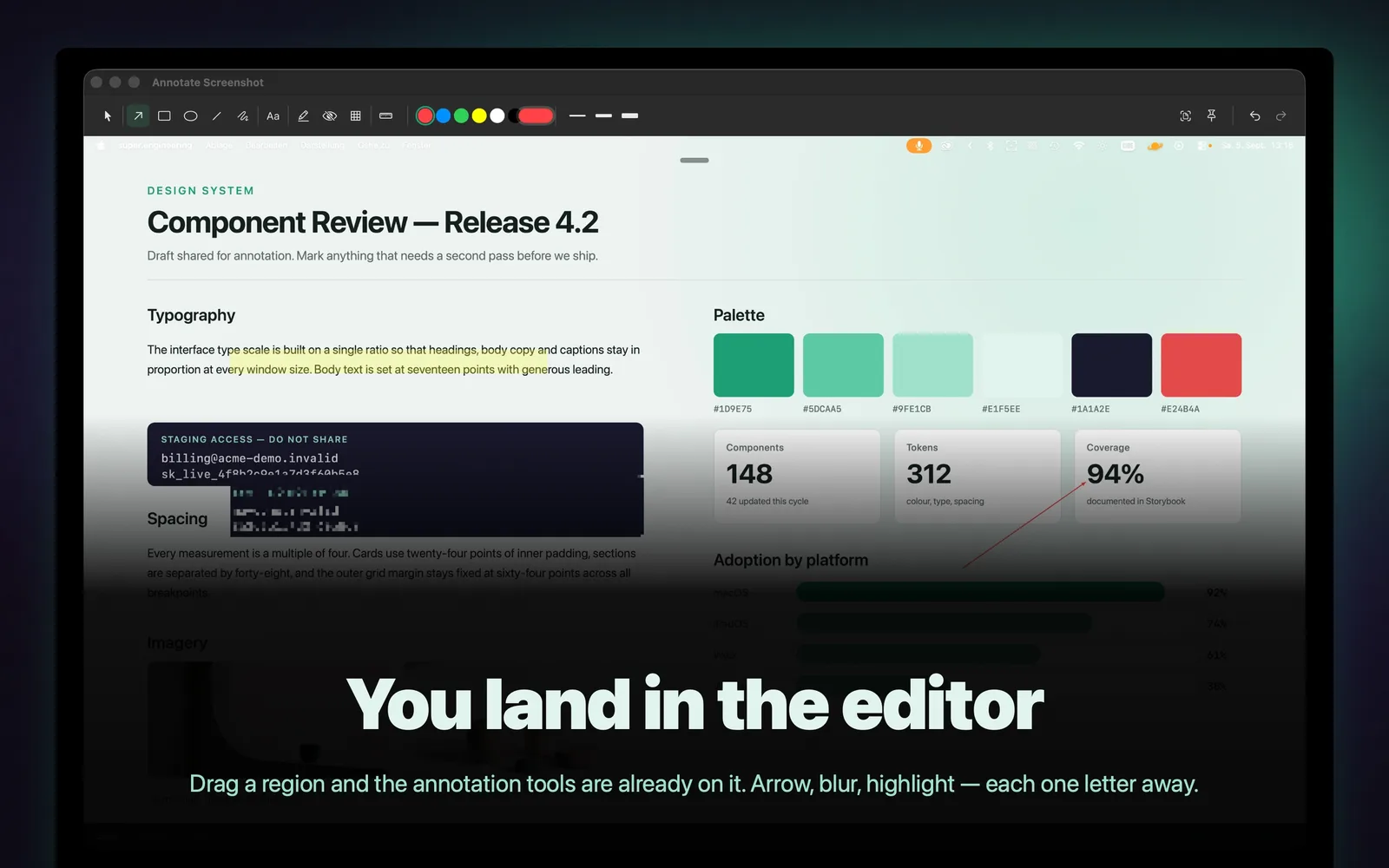
The editor opens the moment you capture. Mark it up, pull the text out of it, sample a colour, then copy or save — all before the thought leaves your head.
It lives in the menu bar and is never in your way: no Dock icon, no window stealing focus. No account, no telemetry.
Features
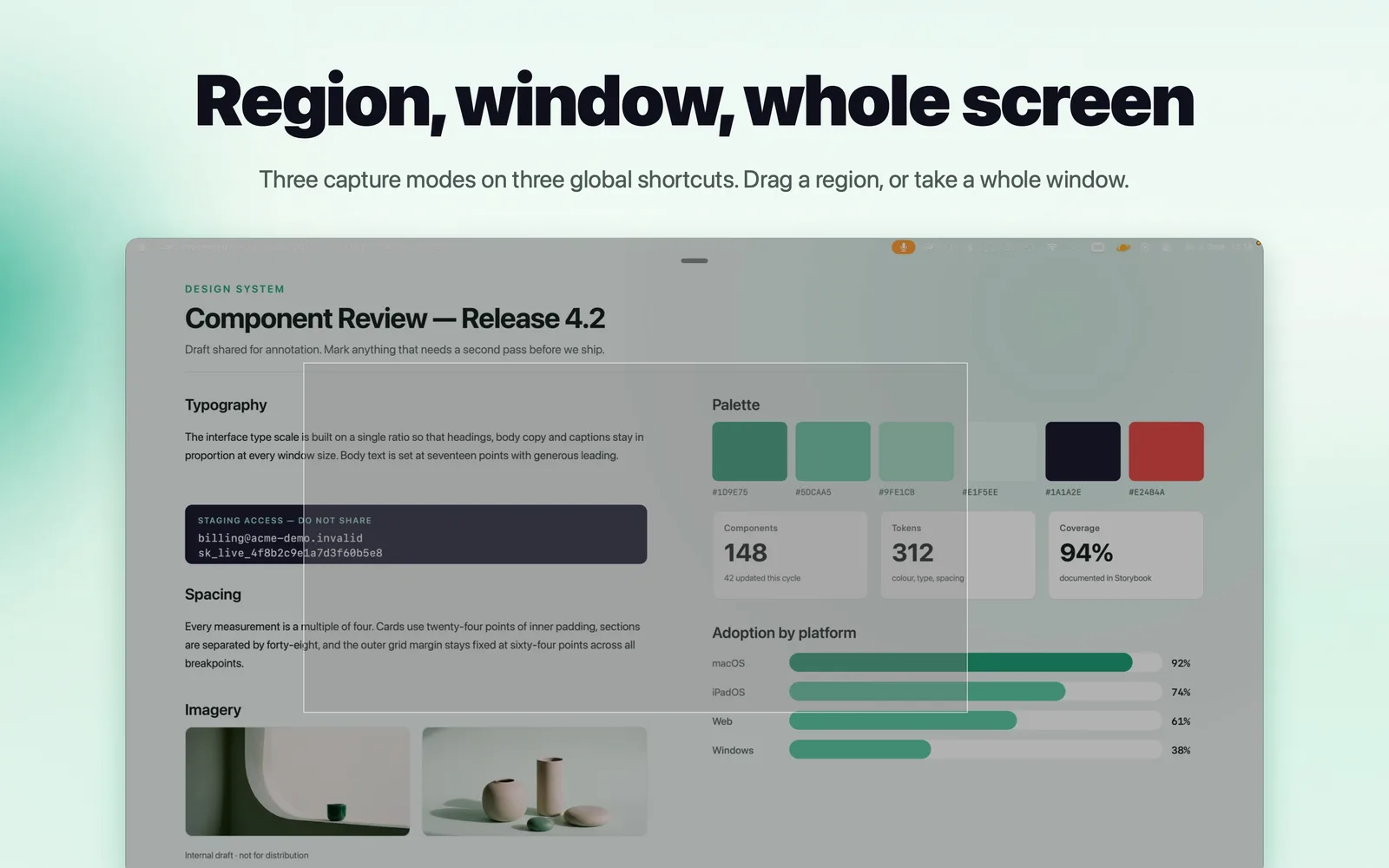
Three capture modes: Full screen, a dragged region, or a single window — each on its own global shortcut, straight from the menu bar.
Eleven annotation tools: Arrow, rectangle, ellipse, line, freehand, text, highlight, blur, pixelate, selection and a ruler. Hold Shift to snap to 45°.
Text extraction: Drag over any region and the recognised text lands on your clipboard. Handles English, German and French.
Colour picker: A magnifying loupe follows the cursor at 8× zoom. Click to copy, Shift-click to keep it in a palette, with a history of the last ten.
Pixel measurement: A full-screen ruler with guide lines and point-to-point or rectangle modes. Also available inside the editor — and never exported.
Pinned screenshots: Float any capture above every other window. Scroll to fade it, Shift-drag to resize. Pins survive a restart.
Auto-save and history: Captures are filed away automatically. A searchable thumbnail browser is one shortcut away.
Yours to configure: Rebind every shortcut with conflict detection, set annotation defaults, choose the output folder and format, and launch at login.
System Requirements
Minimum macOS
macOS 14.0+
Supported Architectures
Apple Silicon
Screenshots
The editor opens the moment you capture.
A dragged region, straight from the menu bar.
Changelog
v3.5.02026-08-25Latest
Hardening release. Signing, distribution and the test suite were reworked.
v3.4.12026-08-09
Window capture fix and an interactive picker: point at the window you want, or take the frontmost one outright.
New projects, apps, courses and the occasional insight — straight to your inbox. No spam, unsubscribe anytime.
Your address is only used for the newsletter. Unsubscribe any time by writing to support@daumedia.lu. What Daumedia stores is set out in the
privacy policy.